Scientific setup on fresh Fedora 23 installation

su -
dnf update

RPM Fusion repository
http://rpmfusion.org/Configuration

Install the missing software:

dnf install gnome-tweak-tool gimp inkscape thunderbird bluefish filezilla vlc python-openoffice epiphany
dnf install VirtualBox
dnf install dconf-editor

Software for development

dnf groupinstall "Development Tools"

Scientific software

dnf install numpy scipy python-matplotlib python-pandas python-ipython

Upgrade SciPy

dnf install python-pip blas-devel lapack-devel gcc-c++ rpm-build
dnf groupinstall "Development Tools"
pip install --upgrade scipy

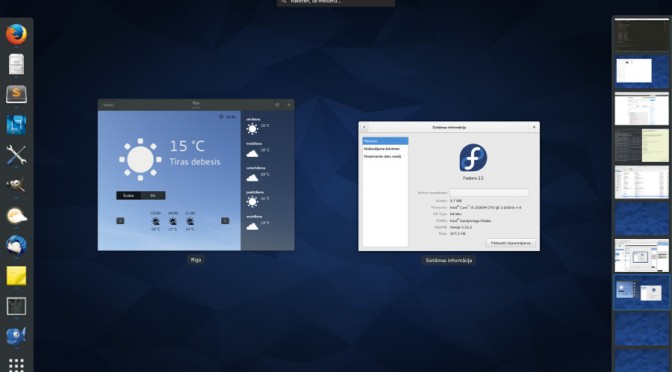
How to upgrade SciPy on Fedora 23

As it was with Fedora 22, the Fedora 23 still ships with SciPy version 0.14.1. To upgrade SciPy please run the following commands as root:

dnf install python-pip
dnf install blas-devel
dnf install lapack-devel
dnf install gcc-c++
dnf groupinstall "Development Tools"

If you now try to upgrade scipy you will get the following error
g++: error: /usr/lib/rpm/redhat/redhat-hardened-cc1: No such file or directory

On Fedora 23 one has also to install rpm-build to avoid errors during compilation of scipy:
dnf search rpm-build

Finally uninstall scipy 0.14.1, download 0.16.0, compile it and install. All with the following command:
pip install --upgrade scipy

Things to do after fresh Fedora 22 installation

After fresh Fedora 22 install, first update the preinstalled software.
The prerequisite to all af the following commands is root access.
su -
dnf update

Add Fusion repository (found this on fosspedro.wordpress.com)
dnf install --nogpgcheck http://download1.rpmfusion.org/free/fedora/rpmfusion-free-release-22.noarch.rpm http://download1.rpmfusion.org/nonfree/fedora/rpmfusion-nonfree-release-22.noarch.rpm

Run the update again
dnf update

Install the missing software:

dnf install gnome-tweak-tool gimp inkscape thunderbird bluefish filezilla vlc python-openoffice
dnf install VirtualBox
dnf install dconf-editor
dnf install epiphany

Software for development
dnf groupinstall "Development Tools"

Scientific software
dnf install numpy scipy
dnf install python-matplotlib
dnf install python-pandas
dnf install python-ipython

Fedora 22 ships with SciPy version 0.14. To upgrade to 0.15.1 follow these instructions: How to upgrade SciPy on Fedora
To check SciPy version, in python console type:
import scipy
scipy.__version__

scipy.odr.odrpack.odr_error: number of observations do not match

When the length of t does not match the length of observations array,  it may couse this error

t = np.linspace(0.5, 54.5, 18)

P = [29.976, 193.96, 362.64, 454.78, 498.42, 517.14, 515.76, 496.38, 472.14, 432.81, 386.95, 352.93, 318.93, 279.47, 260.19, 230.92, 202.67, 180.3, 159.09, 137.31, 120.47, 104.51, 99.371, 89.606, 75.431, 67.137, 58.561, 55.721]

data = Data(t, P)

When the length of t and P are different, program ends with the error “scipy.odr.odrpack.odr_error: number of observations do not match”


Postgresql EESTERROR invalid byte sequence for encoding “UTF8”: 0xff

After Postgres update one of our php web gallery stopped working. Uploading of a photo ended with the following error: invalid byte sequence for encoding "UTF8": 0xff

For years we have allways put an ‘E’ before escaped image data in our INSERT queries.
pg_query("INSERT INTO gallery (name, data) VALUES ('My photo', E'$escaped_image')");

I found the solution in http://php.net/manual/en/function.pg-escape-bytea.php

// Escape image data
$escaped = pg_escape_bytea($data);

// The wrong code, which stopped working after Postgres update
pg_query("INSERT INTO gallery (name, data) VALUES ('Pine trees', E'$escaped')");

// The right code
pg_query("INSERT INTO gallery (name, data) VALUES ('Pine trees', '$escaped')");